Stop Searching. Let Kite’s AI Organize Email Inbox Details for You

The details were always in there. Now they come to you.Kite reads the orders, bookings, bills and renewals in your inbox and pulls out every date, amount and tracking link. Connect your inbox once and Kite will organize email from then on.

From

Kite <team@kite.com>

To

You

Add recipient

Subject

We built something for you

Attached

Your life runs through email — flights, packages, work, birthday parties, school updates, bills, job offers... But the way you manage email requires lot of work - sorting, searching, triaging - all while worrying you might have missed something important. 1 Email was never designed to keep up with modern life. Until now.

Send

How Kite organizes your email inbox

1,893

Deep analysis

Kite analyzes and understands every single email to know what to do next, before you've even opened them.

Auto-Organize

Today Tab

Emili, Sarah3
Birthday Party InvitationHey! I'm throwing a party for my birthday this Saturday at 7 PM. Would love for you to come!
Documents Inc.5
Documents to SignPlease review and sign the attached documents at your earliest convenience.
David, Lisa5
Weekend GetawayLooking forward to our trip together! Let’s finalize the itinerary tonight.

Delivery Cente
Shipping UpdateYour package is out for delivery and arriving today

Sophie, Matt12
Travel PlansI was thinking we could visit the national park. It's supposed to be beautiful this time of year!

HealthCare1
Appointment ReminderDear John, this is a reminder for your upcoming appointment today.
Ben11
Promotion AlertCheck out our latest promotional deals just for you! Don’t miss out!
City Events Team6
Community Festival InvitationJoin us for a day of fun at the annual community festival!
Andy, Mike10
Job OfferI'm thrilled to offer you the position! Let's discuss the next steps on Monday.
Travel Express3
Flight ConfirmationThank you for booking with us! Your flight details are confirmed.
Tom, Rachel9
Family ReunionExcited to see everyone at the family reunion this weekend! It’s been too long!
Karen8
Grocery ReceiptAttached is the receipt for the groceries I bought yesterday. Let me know if you need anything.

Needs action

ABC School4
Parent-Teacher MeetingWe would like to invite you to the upcoming parent-teacher meeting.

Low priority

Wellness Center7
Fitness Class RegistrationWe're excited to announce new classes starting next month!

Low priority

Global Travels8
Travel Package InquiryThank you for your interest in our travel packages to Europe!

Low priority

Mike4
Flight ItineraryYour flight to Paris departs on June 5th at 10 AM. Attached are the details.

Low priority

HR Department9
New Employee OnboardingWelcome aboard! We're thrilled to have you on our team.

Low priority

William, me2
Business tripHi, I made a reservation for the hotel you talked about. It looks fan...

Low priority

Jessica6
Newsletter SubscriptionWelcome to our monthly newsletter! Here’s what we have planned for this month.

Low priority

John, Alice7
Concert TicketsI got us tickets for the concert next month! Can't wait to see our favorite band.

Low priority

University11
Application Status UpdateYour application has been received and is under review.

Low priority

Local Library10
Book Club ReminderDon't forget our book club meeting this month!

Low priority

Catering Services12
Event Catering QuoteThank you for considering us for your catering needs!

Low priority

Running App2
Weekly RecapYou ran 24 km this week, up 12% from last week

Low priority

Coworking
InvoicePlease find the attached invoice for this month

Low priority

Delivery Cente2
Shipping UpdateYour package is out for delivery and arriving today

Low priority

Toni
Newsletter SubscriptionWelcome to our monthly newsletter! Here’s what we have planned for this week.

Needs action

Happening today

Good to know

More to browse

Mon 8

Your Tea Set arrives tomorrow. Pepe Borrell wants to meet for coffee next week, and you’re still waiting on Leandro about your tax quote

9:00a

Needs action

3 candidates are interested in working at BuildForever with you. •Davi Zacarias applies for Backend Engineer. 6 years experience. Reply •Hemant Kadam (7x hackathon winner) offers to volunteer a prototype. Reply •David Perlov (CS student, 3.8 GPA) applied for Backend Engineer roles. Reply
Nora’s School sent information about an upcoming field trip to Sagrada Familia on Feb 25 (2d). Check Location

Happening today

Package arrives this morning. I bet it’ll look sharp with your boots. Track package.

Good to know

NBA playoffs with Carlos. It will take you about 45 min from your place. See Tickets • Check Location

More to browse

New products in! A bit of golf. a bit of clothing and some new tech products
ghost

Everything organized. Just how you like it

category

Smart categories for your

news

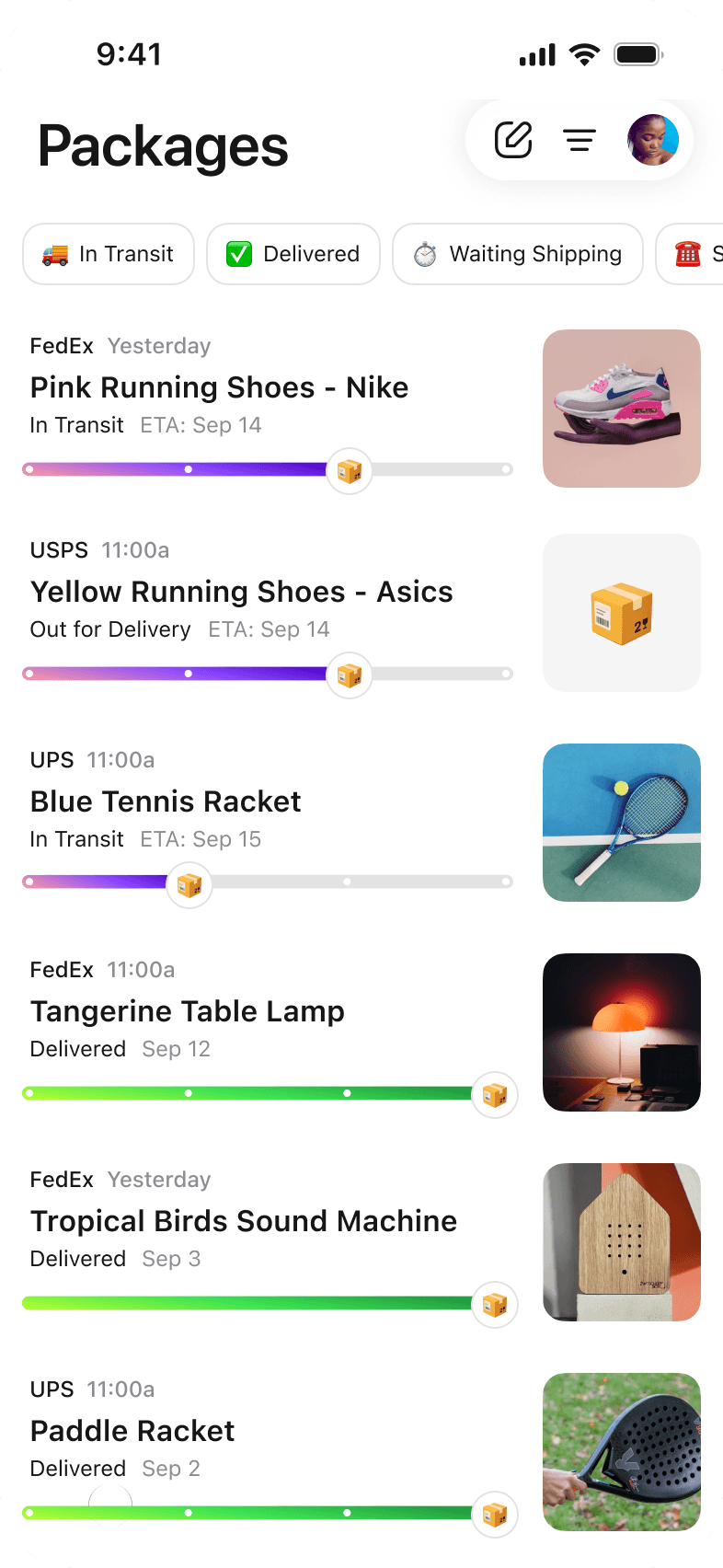
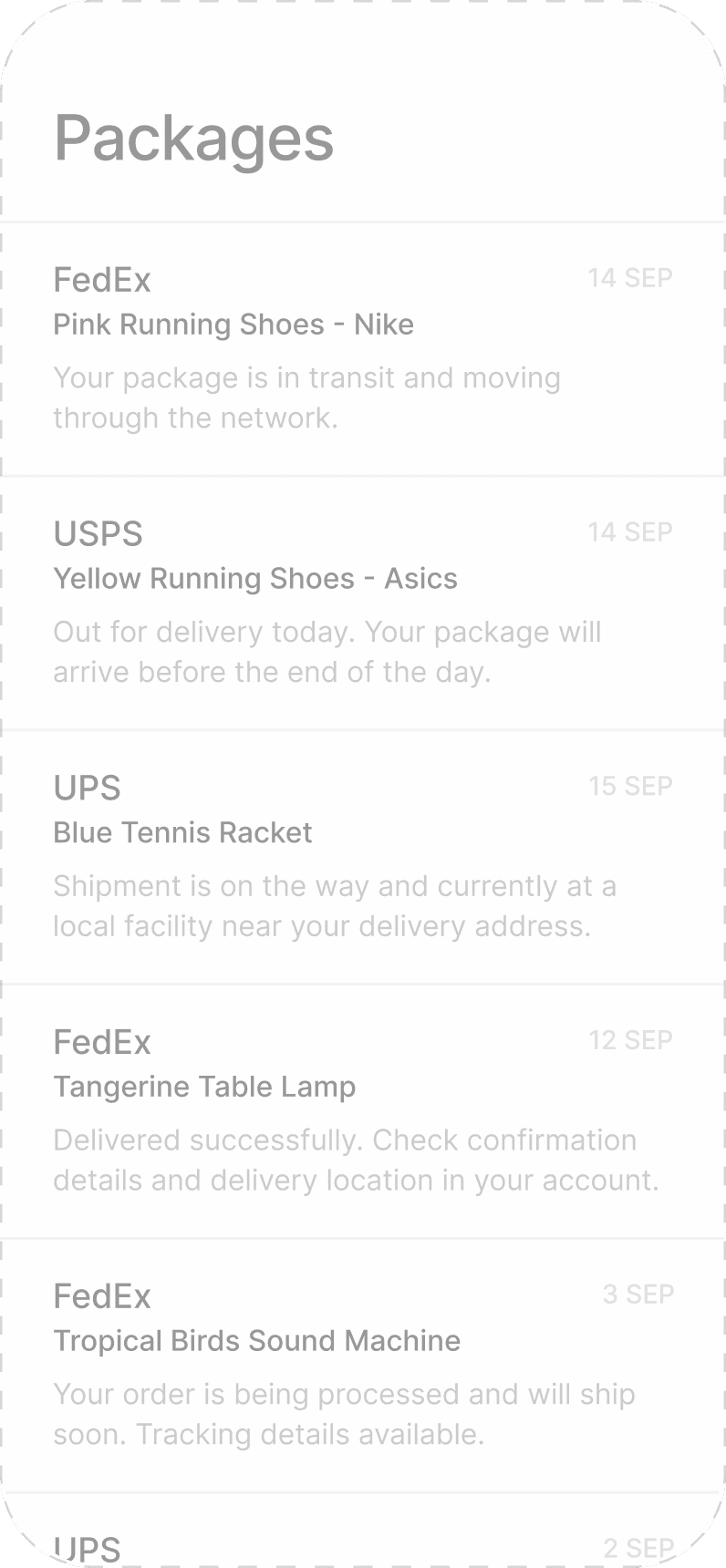
packages

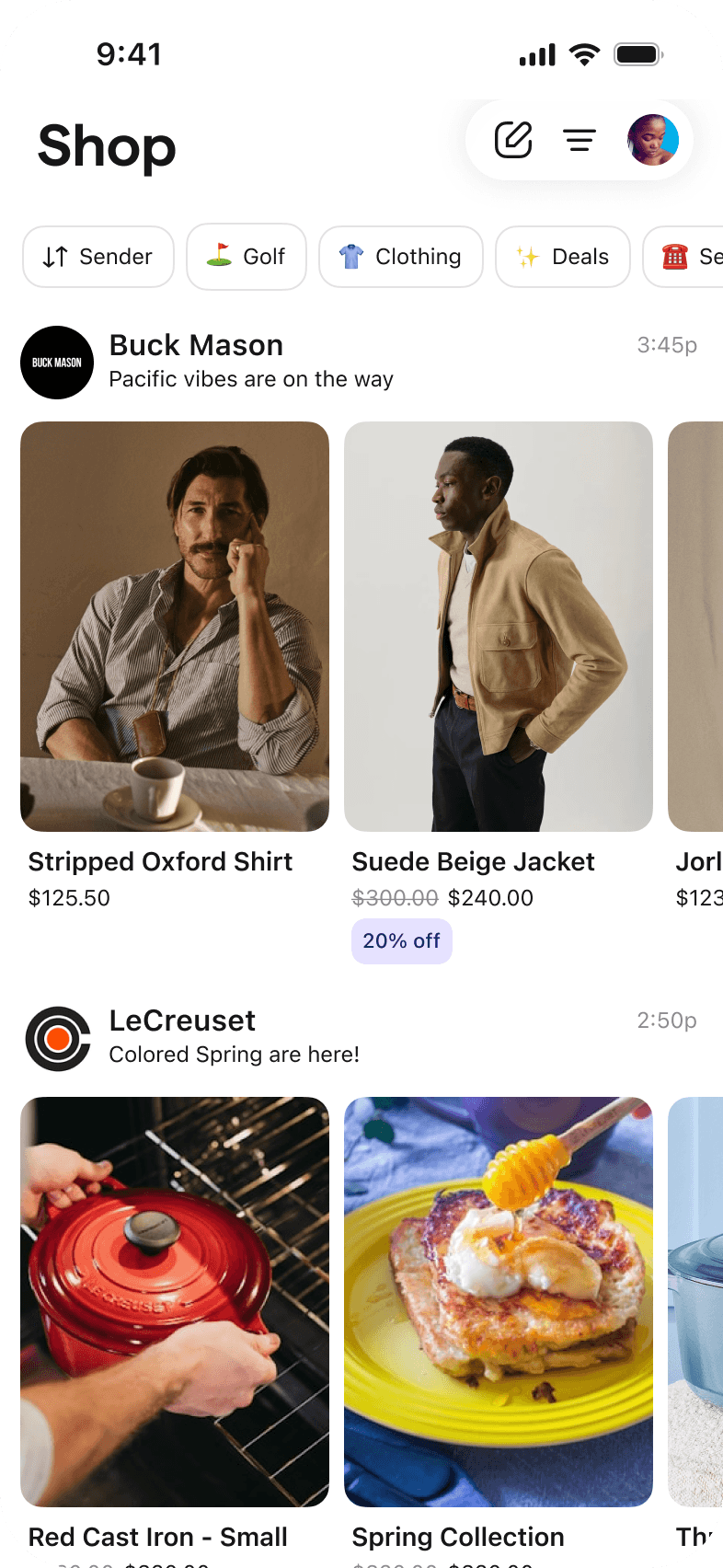
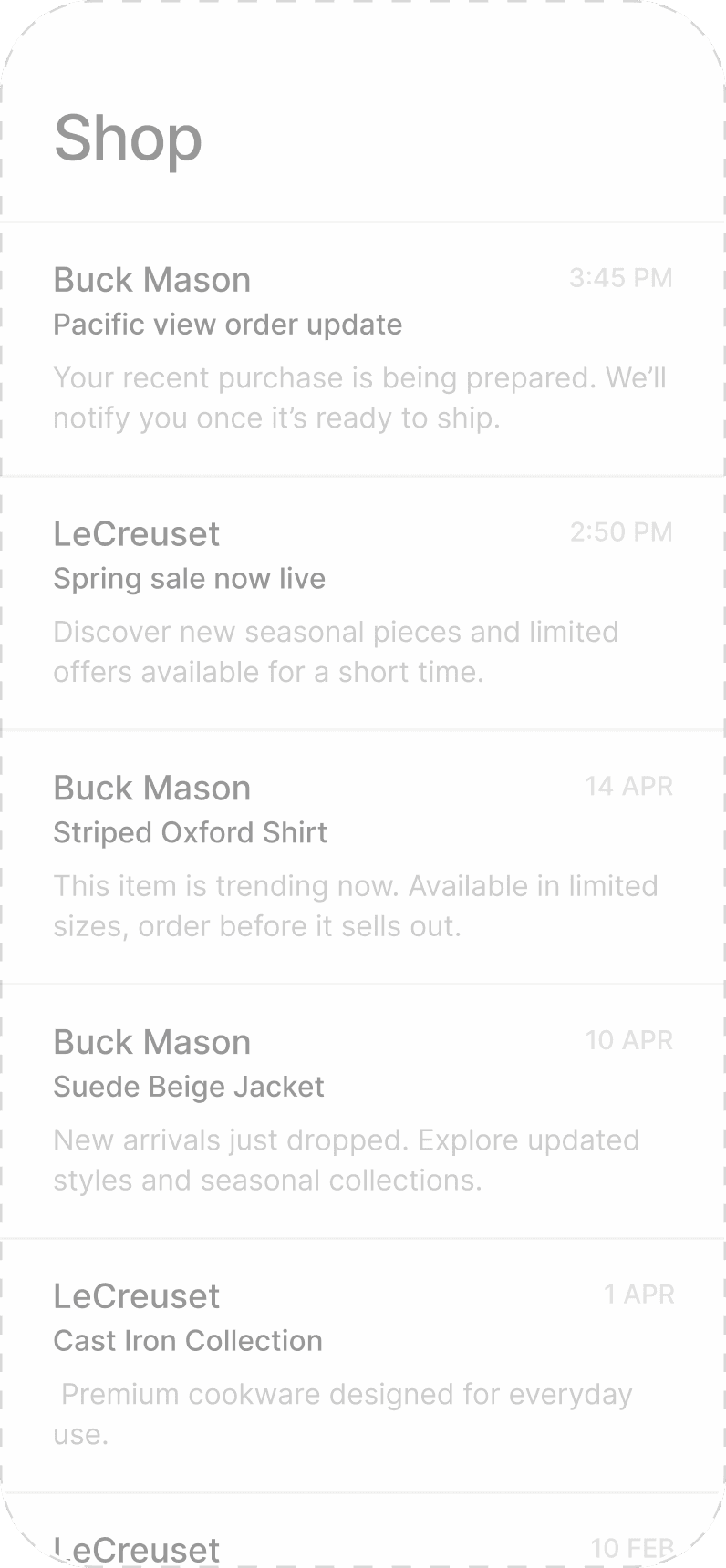
shopping

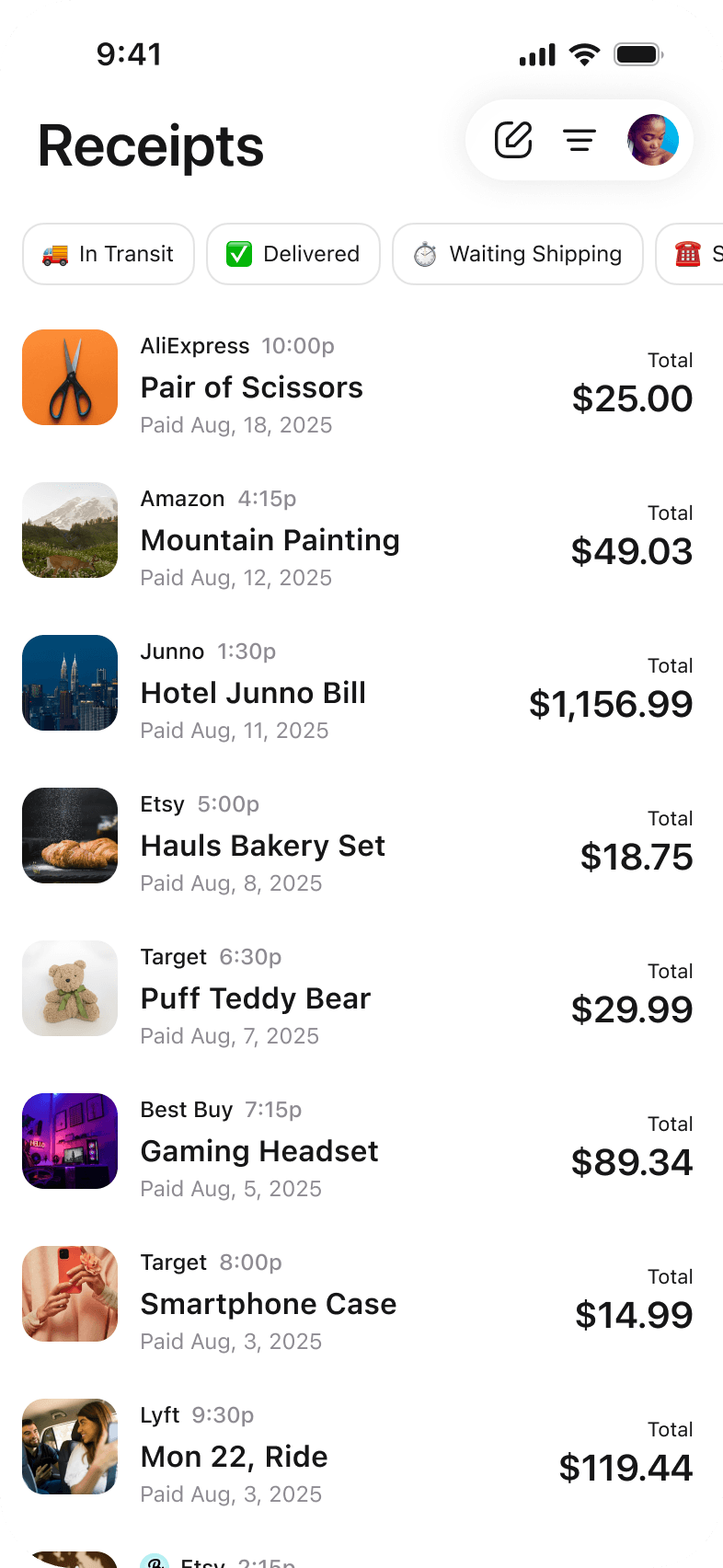
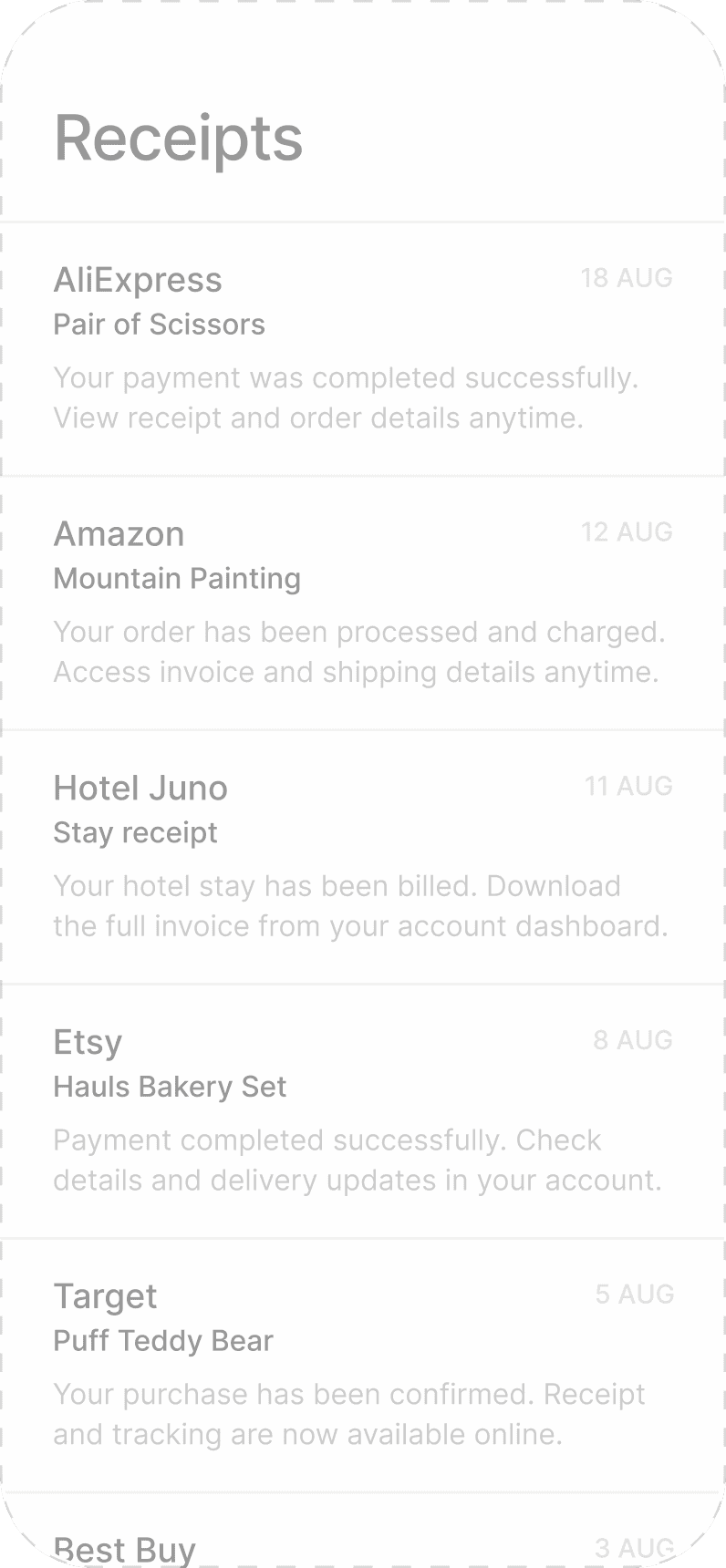
receipts

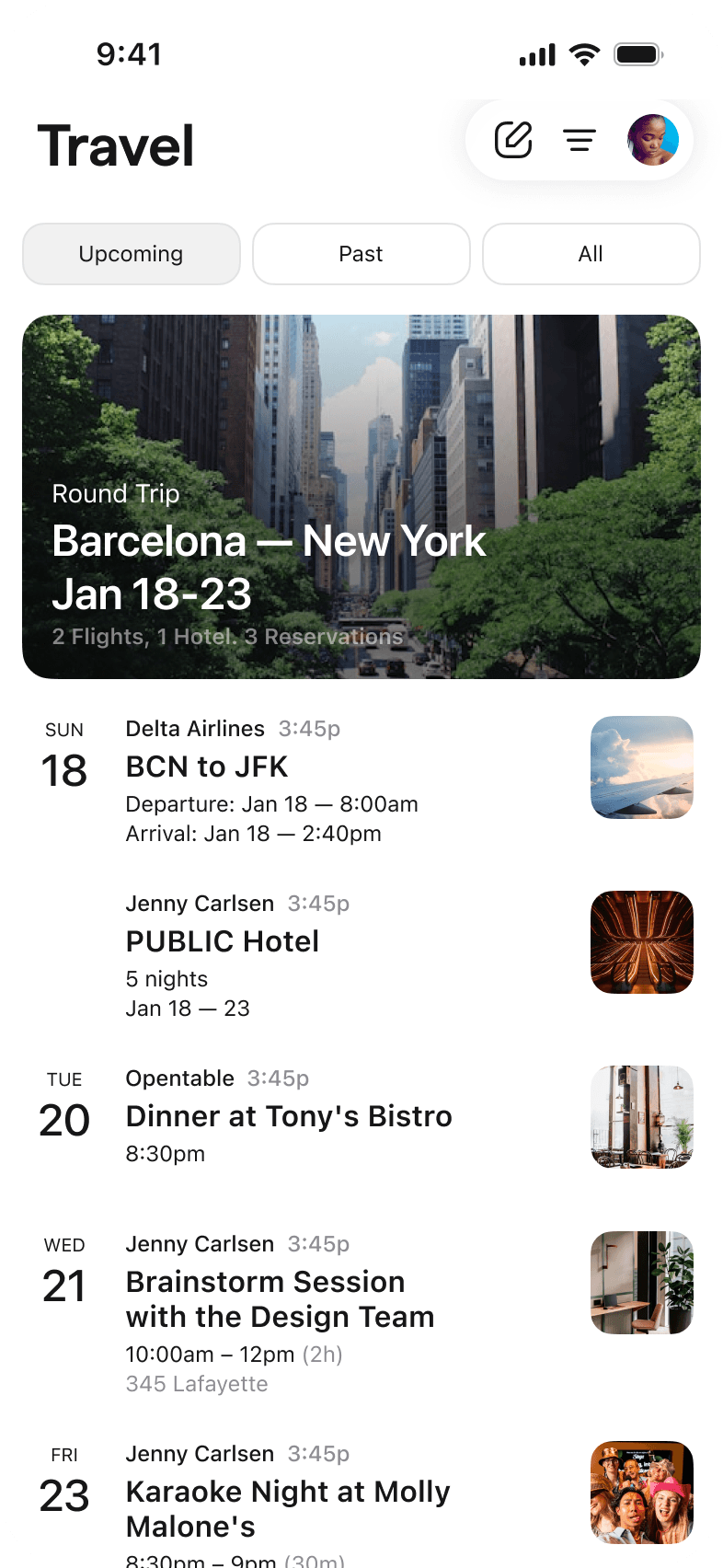
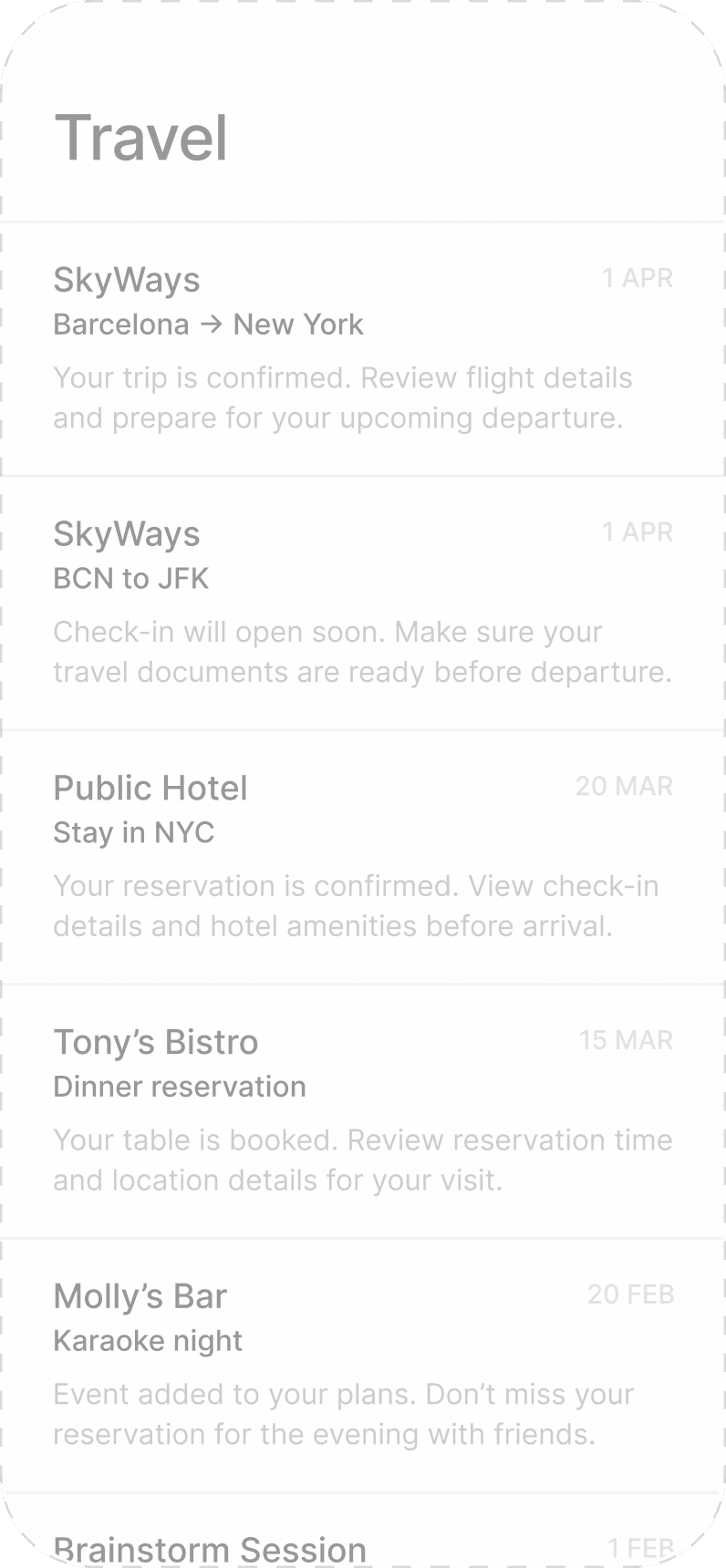
travels

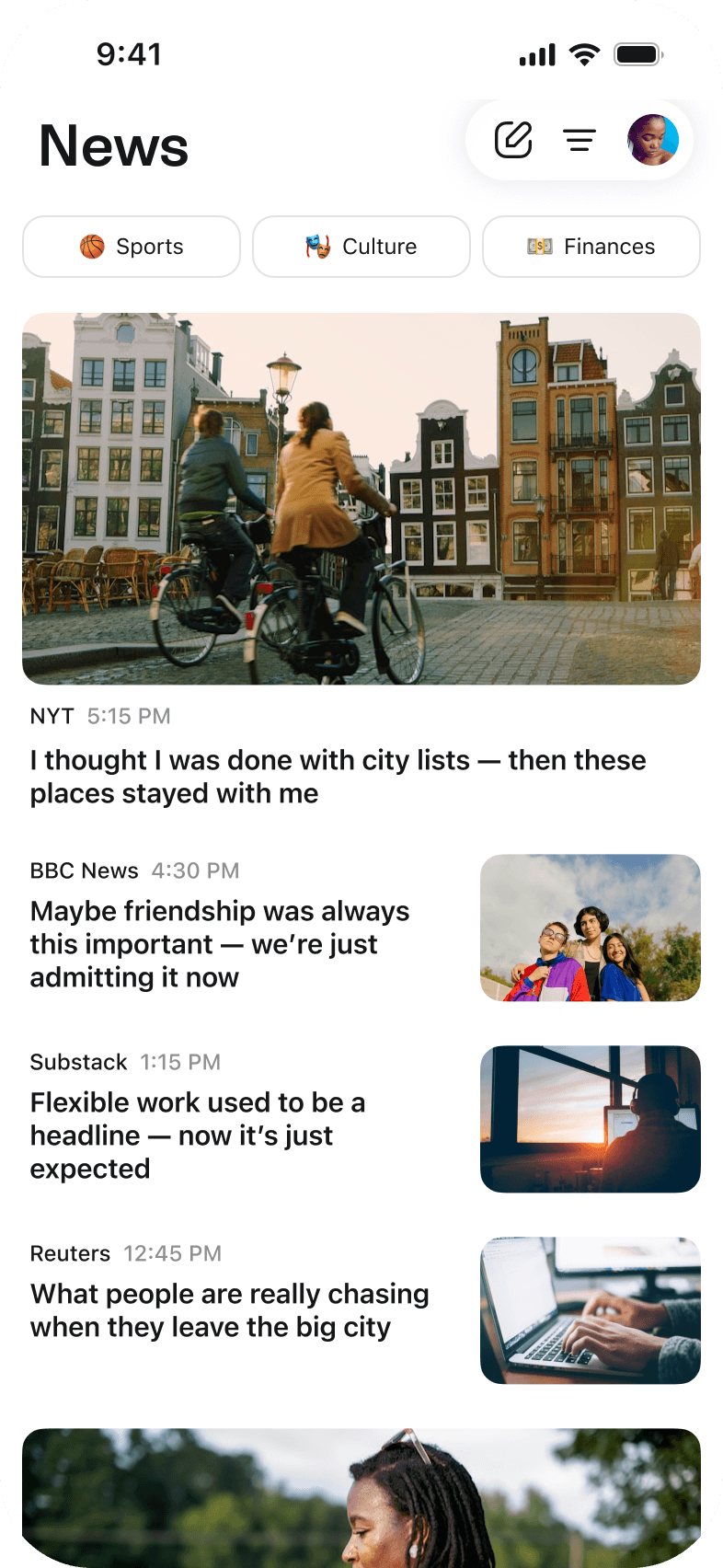
Kite organizes your emails automatically. Our smart categories process and display emails in unique custom-made designs.

News UI

Today

Inbox

News

Packages

Shop

Receipts

Travels

Today

Inbox

News

Packages

Shop

Receipts

Travels

Too many senders,
Too many emails.


Let’s do some cleanup

Kite knows what you never open and what’s actually worth keeping. Your inbox gets lighter every day, without you going through the unsubscribe grind yourself.

Select sender to clean up

13
18
24
27
31
39
48
56
64

More features you will love
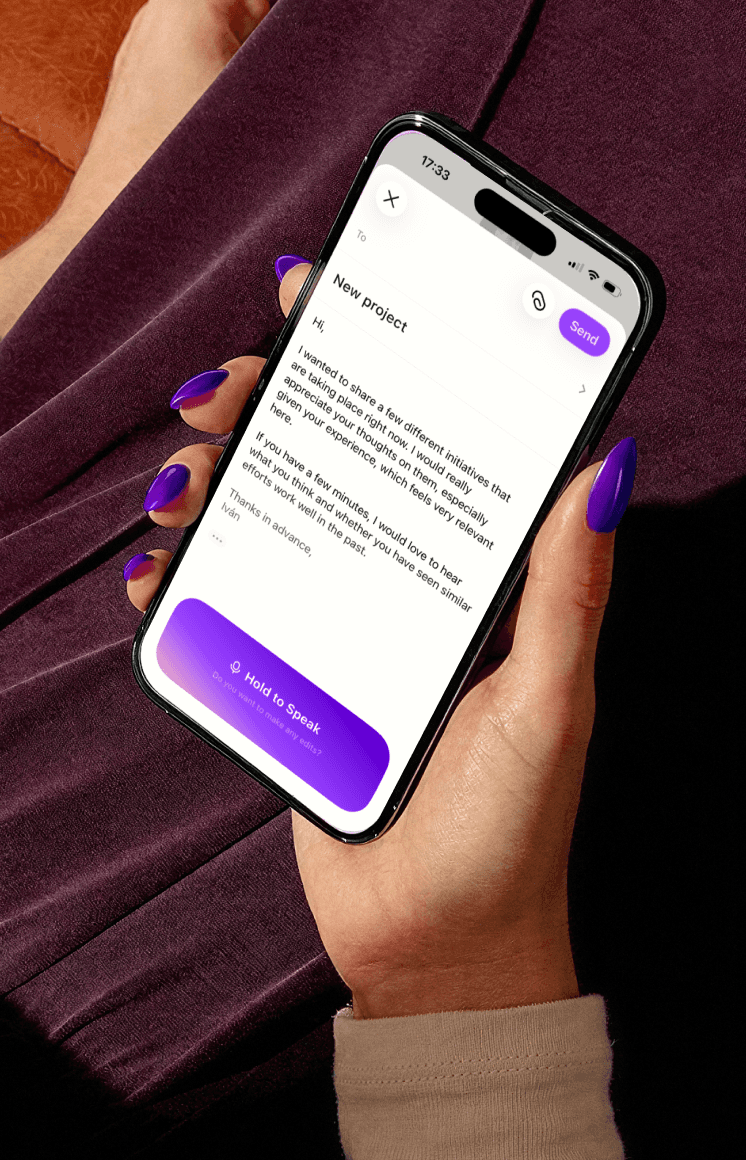
Voice composer

Just hold to speak and Kite rewrites in your tone ready to send.
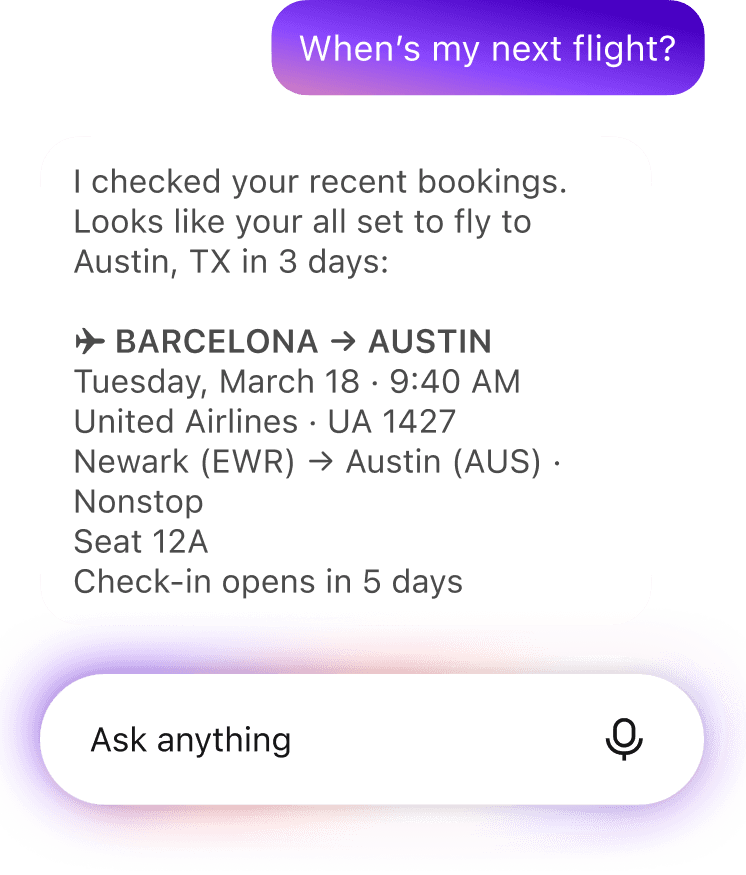
Talk to your inbox

Just ask your inbox a question or something you'd like it to do for you.
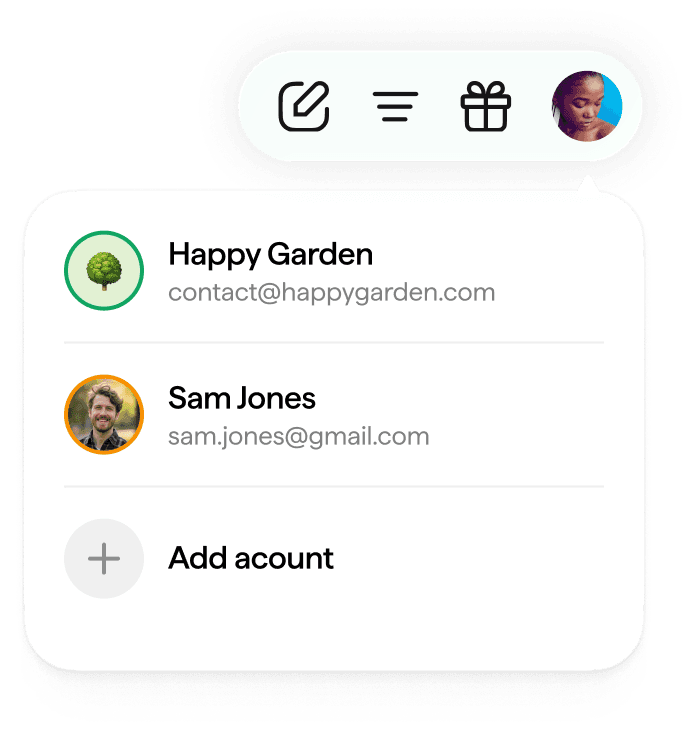
Multi-account

Your life isn't always in one email address.

At a glance

More Than Organized. Measurably Better

  • <1s

    To process and sort new Gmail

  • 12

    Categories every email is sorted into

  • 95%

    Of order, travel and billing details captured automatically

  • 0

    Times your data is sold. Not once. Not to anyone

Why Kite

A Cleaner Inbox Still Hides the Details You Need

Most inbox tools can sort, archive and unsubscribe. But the delivery date, the flight time and the renewal charge may still sit inside an email you have to find and open. Kite opens those emails for you and lifts the details out.

Go past clutter-free. Let your inbox work for you.

Same Inbox. Different Job

See how Kite changes the way you track orders, trips, renewals and receipts without changing the email you already use.

The manual way

  • ✕Order updates can sit across many emails
  • ✕Delivery dates often hide in shipping notes
  • ✕Flight details may be buried in a booking
  • ✕Renewals can charge before you see them
  • ✕Receipts may go missing at expense time

The Kite way

  • ✓Every order status shows in one view
  • ✓Delivery dates come with a reminder
  • ✓Flight details(PNRs and check-in times) are pulled out and dated
  • ✓Renewal alerts show what is due next
  • ✓Receipts are grouped, amounts ready

Three Parts. No Sorting on Your End

One part reads, one part files, one part tells you what is coming next.

01 · Read

Kite AI, Your Reader on Duty

It processes each transactional email as it arrives and extracts key details, such as a status, date, amount or link. No rules to write, no labels to set, nothing to forward.

  • 📅Delivery date - added to calendar
  • 🔗Tracking link - saved to order
How it works

Connect Once. Let Kite Organize Email From There

Here's what Kite does with a shipping email after it lands in your inbox.

  1. 01Connects

    You securely link Gmail, Outlook, Zoho Mail or a custom IMAP inbox

  2. 02Reads

    Kite’s AI reads the new email and recognizes it as an order update

  3. 03Extracts

    The expected delivery date and the tracking link are pulled out of it

  4. 04Organizes

    The order is filed and its delivery date is placed on your calendar

The AI difference

Other Tools Sort Your Email. Kite’s Email Parser Reads It

Many inbox tools rely only on the sender and subject line to process emails. Kite’s AI reads what the email actually says: the order ID, the tracking number, the amount billed, the renewal date, the PNR and the check-in time. That’s entity extraction and it’s why Kite hands you answers instead of folders.

It does this across shopping, travel and finance at once. A travel app sees your trips. A shopping app sees your parcels. Kite sees all of it, from the inbox you already use.

Subscriptions

Subscription Tracking for the Ones You Keep

Unsubscribing clears out newsletters. The services you pay for keep renewing in the background. Kite tracks those for you what each one costs and when it bills you next.

Kite pulls the renewal date and amount out of every subscription email, keeps each one in your Subscriptions view and reminds you before it renews. For senders you no longer want, Kite’s cleanup helps you unsubscribe.

  • 💳 Billing amounts
  • 🔔 Renewal alerts
  • 📅 Renewal dates on calendar
Built for

Inboxes That Never Stop Confirming Things

Without Kite

Order confirmations, shipping updates and delivery notices arrive from every store. Checking one parcel can mean several searches.

With Kite

Kite pulls each order status, delivery date and tracking link into one orders view and puts expected deliveries on your calendar.

The result

~70%

fewer inbox searches to find out where a parcel is

Target metric
Works across inboxes

Receipt Tracking Across Every Inbox You Connect

“Will Kite work with my email?” If you use Gmail, Outlook or Zoho Mail, yes. Custom IMAP hosts connect too, for inboxes that sit outside the big providers.

📥

Inboxes Kite Reads

  • Gmail
  • Outlook
  • Zoho Mail
  • Custom IMAP
🔍

What Kite Extracts

  • Order status
  • Delivery dates
  • Flight details
  • Billing amounts
  • Tracking links
🗓️

Where It All Lands

  • Dashboard
  • Calendar
  • Categories
  • Renewal alerts

Premium tiers add advanced automation and more storage.

FAQs

Can Kite help me unsubscribe from emails I don’t want?

Yes. Kite’s cleanup helps you unsubscribe from unwanted senders so your inbox gets lighter every day without you working through each unsubscribe yourself. It’s part of how Kite helps you organize email inbox clutter alongside sorting packages, shopping, receipts and travel into their own categories.

Why does Kite analyse the email content instead of just the sender and subject?

Because the details you need are inside the message. A sender name tells you a store wrote to you; only the body holds the delivery date, the billing amount or the flight time. Kite reads to extract those details and file them where you can find them.

Can I connect a work inbox and a personal inbox together?

Yes. Kite syncs with Gmail, Outlook, Zoho Mail and custom IMAP hosts, so inboxes from different providers can feed one Kite dashboard. Each connected inbox is read and categorized the same way.

Can I ask Kite questions about my inbox?

Yes. With Talk to your inbox feature you can ask Kite a question or tell it what you’d like done, in plain language. Kite can summarize, prioritize and search your email so you get an answer without scrolling through threads yourself.

Can Kite write my email replies for me?

Yes. Kite can compose and send replies from your connected inbox. With the voice composer, you hold to speak and Kite rewrites what you said in your tone ready to send.

Stop Searching Your Inbox. Start With Kite

Connect your inbox once. Kite takes the reading from here.

Kite is an email management application. It securely connects to your Gmail, Outlook and Zoho inbox to read, categorise, summarise, prioritise and search your email, help you unsubscribe from unwanted senders, and compose and send replies, so you can manage your inbox faster.